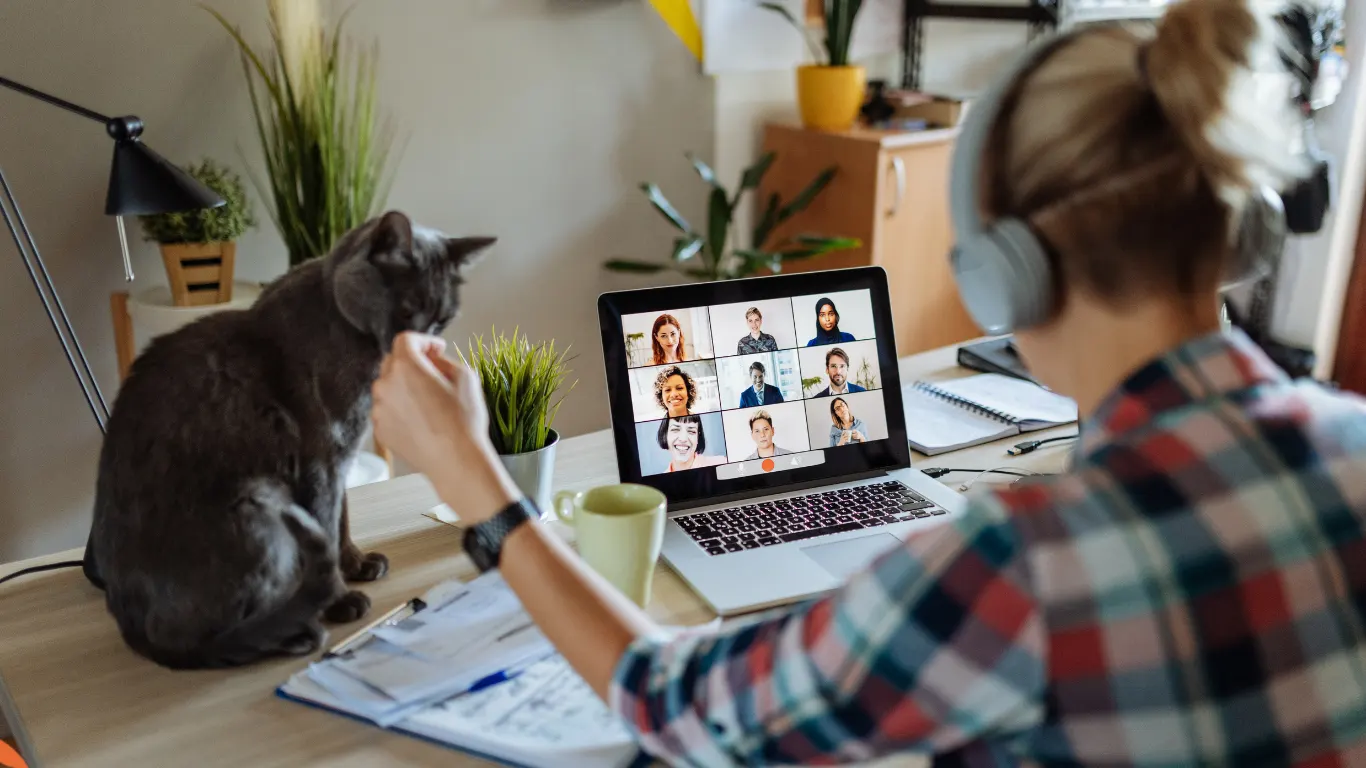
A professional work from home setup for virtual assistant work is one of the first things clients notice, even if they never ask about it directly. It shows up in call quality, response time, and how reliably you can deliver work.
Whether you are an aspiring VA getting ready to apply or a business owner trying to understand what good looks like, this guide covers what you actually need to get hired, not just what looks good on a shopping list.
What does a good work from home setup for virtual assistant work actually mean?
A good setup is not about having the most expensive gear. It is about being able to do the job without friction.
For clients, that means clear audio, stable internet, a secure way to share files, and a quiet place to work during agreed hours. For you as a VA, it means a space that helps you stay focused and switch on quickly when a client needs you.
If you can join a call without delay, share your screen, work from your CRM or helpdesk without lag, and keep client information secure, you meet the standard most US businesses expect.
Work from home setup for virtual assistant: the complete checklist
This is the core setup most clients expect on day one. You can start simple and upgrade over time.
1. Computer you can rely on
You do not need a high end machine, but you do need something reliable. Most clients expect:
- A laptop or desktop less than 4 years old with at least 8GB RAM
- An up to date operating system with automatic updates turned on
- A working webcam built in or external
- The ability to run Google Workspace or Microsoft 365, Slack, Zoom, and a browser with multiple tabs without freezing
If you work with design, video, or heavy spreadsheets, 16GB RAM and a newer processor will save you a lot of time.
2. Virtual assistant equipment requirements clients actually check
These are the virtual assistant equipment requirements that come up in almost every interview or client onboarding:
Headset with noise cancellation.
A USB headset with a built in microphone is better than laptop speakers. It improves call quality immediately and reduces background noise.
Second monitor.
Not mandatory, but highly recommended. It makes admin, customer support, and bookkeeping work much faster.
Keyboard and mouse.
An external keyboard and mouse help with ergonomics if you work long hours.
Power backup.
A small UPS or power bank for your router and laptop prevents dropped calls during short outages. This matters a lot if you work with US hours from South Africa, the Philippines, or Latin America.
Lighting.
A simple desk lamp or ring light helps you look professional on video calls.
You do not need to list every model you own. Clients just want to know you have thought about reliability.
Internet requirements for virtual assistant work
Internet is the one area where you should not compromise. Poor audio or frozen video is often the reason a trial does not convert into a long term role.
Internet requirements for virtual assistant work most clients look for:
- Minimum 20 Mbps download and 10 Mbps upload for admin, email, and chat based work
- 50 Mbps download and 20 Mbps upload or higher if you will be on video calls, VoIP, or handling large files
- Wired ethernet connection where possible, with WiFi as backup – A mobile hotspot or second internet option for backup
Long tail questions people search for like “how fast internet for virtual assistant” or “internet speed for Zoom calls as a VA” usually point to the same answer. You need enough speed to stay on video without lag, plus a backup plan if your main connection drops.
Test your speed at different times of day and share a screenshot if a client asks. It builds trust quickly.
Home office setup for VA that helps you stay focused
What works well:
- A dedicated desk or table you use only for client work
- A chair that supports your back for 4 to 6 hour blocks
- A quiet background for calls. A plain wall is better than a busy room.
- Clear boundaries with family or housemates about your working hours
If you work from a shared space, use your headset, keep your background uncluttered, and mute notifications during focus time. Clients understand you work from home. They want to see you have a plan to stay professional.
Small touches like a door you can close, a “on a call” sign, and a daily reset of your desk at the end of the day make a big difference over time.
Software, tools and security basics you need on day one
Beyond hardware, most US businesses expect you to be comfortable with a common set of tools and to follow basic security practices.
Core tools:
- Gmail and Google Calendar, or Outlook
- Zoom, Google Meet, or Microsoft Teams
- Slack or similar messaging
- Project management like Asana, Trello, Monday.com or ClickUp
- File sharing via Google Drive, Dropbox, or OneDrive – Password manager such as 1Password or Bitwarden
Security basics:
- Use unique passwords and two factor authentication for every client account
- Keep your devices locked and encrypted
- Do not download client files to personal, unsecured storage
- Use a password manager instead of sharing passwords in chat
If a client asks “what do I need to become a VA” from a tools perspective, this list is usually what they mean. They want someone who can plug into their existing stack without extensive training.
What do I need to become a VA beyond equipment?
This is where many aspiring VAs focus on gear and miss the bigger picture. Equipment gets you in the door. Skills and working habits get you hired.
1. A clear service offer.
Are you offering general admin, customer support, sales development, bookkeeping support, or social media assistance? Clients hire for outcomes. “I manage inboxes, calendars, and CRM updates for busy founders” is clearer than “I do anything.”
2. Proof you can communicate.
Short, clear written updates, good follow through, and the ability to ask good questions matter more than typing speed. Save examples of emails you have written, templates you have created, or processes you have documented.
3. Availability that matches the client.
You do not need to work nights if you do not want to, but you do need to be clear about your hours in the client’s time zone and stick to them.
4. A simple portfolio.
Even one page with who you have helped, what tools you use, and two short testimonials is enough to start. If you are new, include volunteer or project based work.
If you search “what do I need to become a VA” you will see a lot of courses selling equipment lists. Focus first on reliable setup plus one strong, in demand skill.
Common setup mistakes that make clients hesitate
- Using laptop speakers and mic for client calls. Audio quality is an immediate signal of professionalism.
- No backup for power or internet. Clients worry about missed deadlines.
- Working from a noisy living area with constant interruptions.
- No clear workspace, so you lose time finding files or switching contexts.
- Overbuying gear before you have a client. Start with reliable essentials, then invest from earnings.
Businesses hiring through an agency are often trying to avoid these exact issues. They want to know someone has already been vetted for setup, communication, and reliability.
How Talent Bridging thinks about VA readiness
Talent Bridging helps US businesses access skilled global talent without the cost and complexity of traditional local hiring. We work with vetted professionals across South Africa, the Philippines, Dominican Republic, and Latin America depending on the role and client needs.
We are not a job board. When we talk to businesses, we look at what is creating capacity pressure, what tasks should be delegated, and what setup and skill set is needed to make it work day to day. That includes checking home office readiness, equipment, internet stability, communication, and security practices, so clients can trust the person they are working with from the start.
For virtual assistants, that means we look for more than equipment. We look for people who can communicate clearly, manage time well, and stay consistent. A solid work from home setup for virtual assistant work is the foundation. Professional habits are what turn that into a long term placement.
FAQ: Work from home setup for virtual assistant
What is the minimum work from home setup for virtual assistant work?
At minimum you need a reliable computer with 8GB RAM, an updated operating system, a headset with microphone, webcam, stable internet with at least 20 Mbps down and 10 Mbps up, and a quiet space to take calls. A second monitor and backup internet are strongly recommended.
What are the internet requirements for virtual assistant roles with video calls?
For regular video calls, aim for 50 Mbps download and 20 Mbps upload, with a wired connection if possible. Always have a backup option like a mobile hotspot. Test your speed in the morning and afternoon when you will actually work.
Do I need a second monitor to become a VA?
You can get hired without one, but most experienced VAs find a second monitor doubles productivity for admin, customer support, and finance tasks. If you cannot buy one right away, mention your plan to add one once you have steady work.
What do I need to become a VA if I have no experience?
Start with three things: reliable equipment and internet, one clear service like inbox and calendar management or customer support, and examples of how you work. Record a short Loom video showing how you organize email or manage a calendar. That often matters more than a long resume.
What headset and laptop do clients prefer for virtual assistants?
Clients care more about results than brands. A mid range laptop that handles video calls without lag and a USB headset with noise cancellation usually meets expectations. Focus on clear audio and stable performance rather than specific models.
Do clients provide equipment for virtual assistants?
Some do, especially for full time roles, but most small businesses expect you to have your own core setup. Agencies like Talent Bridging help set expectations on both sides so you know what is provided and what you need to bring.
Final checklist before you apply
Before your next interview or application, run through this:
- Computer updated, webcam and mic tested
- Headset charged and working
- Internet tested, backup plan ready
- Quiet, tidy background for video
- Password manager and two factor authentication set up
- Core tools installed and logins working
- One page portfolio or Loom intro ready
- Clear working hours in client time zone
If you have this work from home setup for virtual assistant work in place, you are already ahead of most applicants. You can now focus on showing how you communicate, prioritize, and follow through.
If you are a business owner reading this because you want to be sure your next VA has the right setup without you having to check every detail yourself, talk to Talent Bridging about the roles you are trying to fill. We can help you identify what to delegate, what good setup and readiness should look like for that role, and connect you with vetted remote professionals who are ready to start.
If you are a VA who already meets this checklist and wants to work with US businesses, consider applying to the Talent Bridging talent network. We look for reliable setup, strong communication, and a practical approach to getting work done.